 Meridian by Norium
Intermittent fasting, simplified.
A fasting timer that follows your body through each phase, plus your fast history, weight trend, and weekly progress photos. All in one calm app built for iPhone.
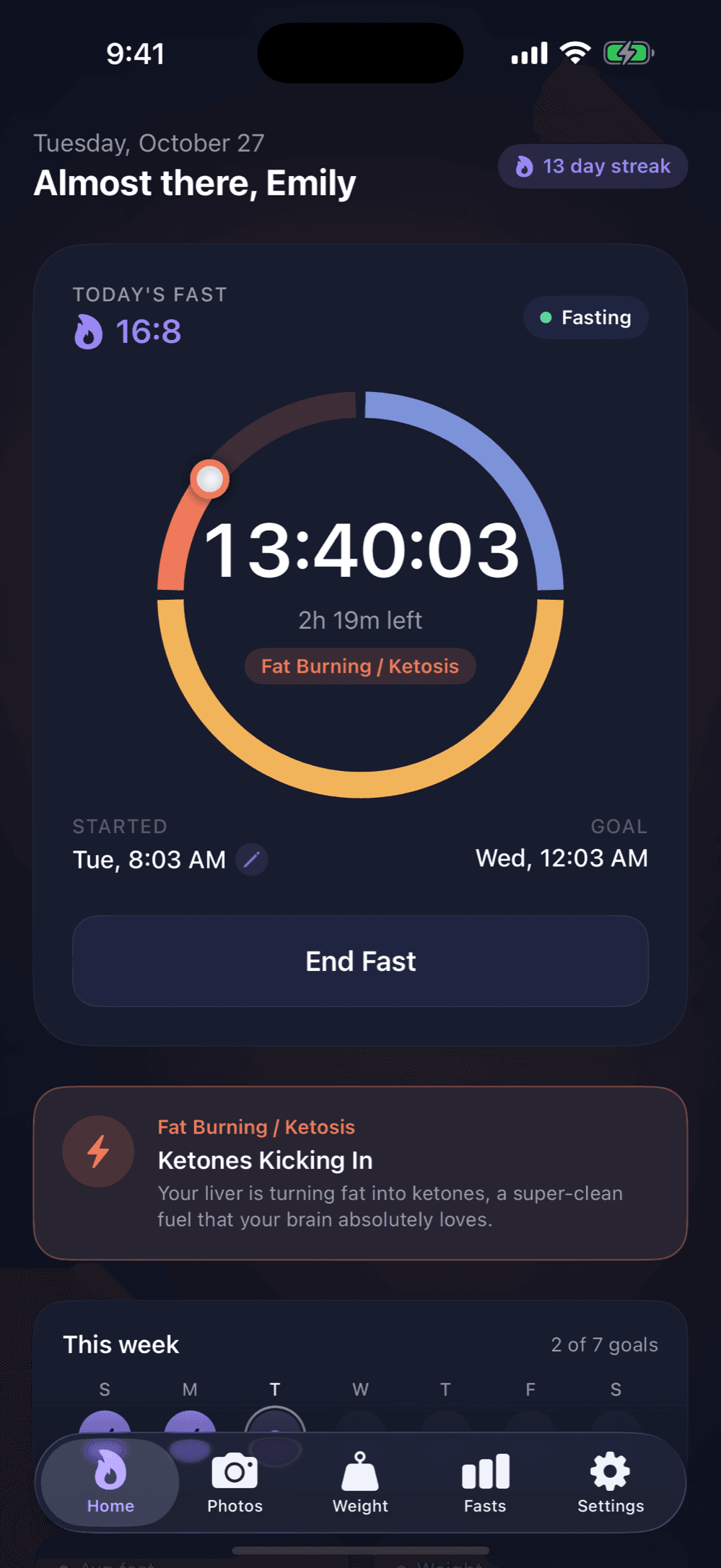
Know what your body is doing, hour by hour
Pick a schedule and start your fast. The ring moves through four phases while you fast, and each one comes with a short note on what's happening in your body.
- 14:10
- 16:8
- 18:6
- 20:4
- 22:2
- OMAD
Anabolic
0–4hDigesting your last meal and storing energy.
Catabolic
4–12hGlycogen runs down and stored energy takes over.
Fat Burning
12–16hYour body switches to fat and ketones start flowing.
Autophagy
16h+Cells begin breaking down and recycling old parts.
Started late? Move your start time back. Reach your goal and you'll get a little celebration.
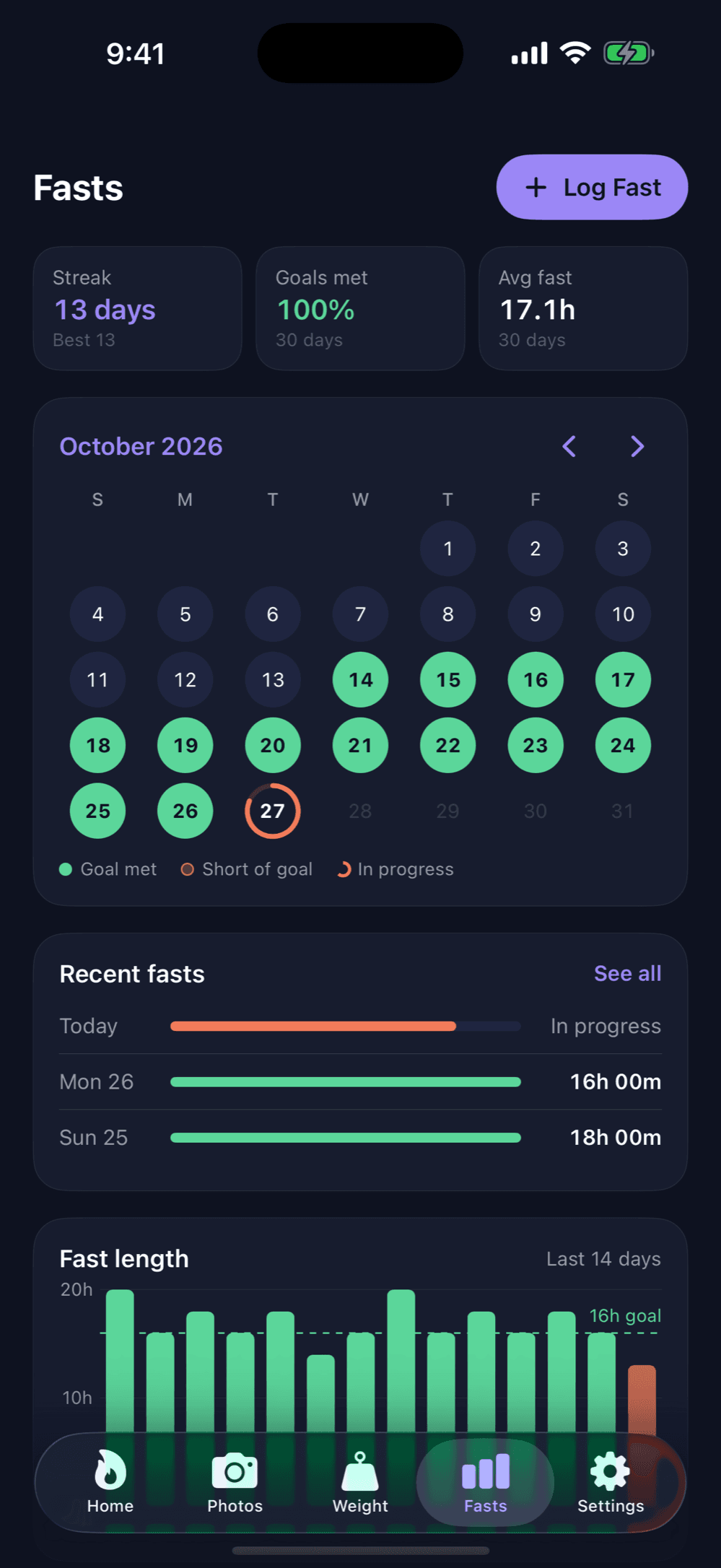
Every fast, on one calendar
Each fast lands on the calendar so you can see your month at a glance: goals met, fasts that came up short, and the one in progress.
- Current and best streak, goal hit rate, and average fast
- Log a fast you forgot to track, or edit any past one
- Tap a day to see the time spent in each phase
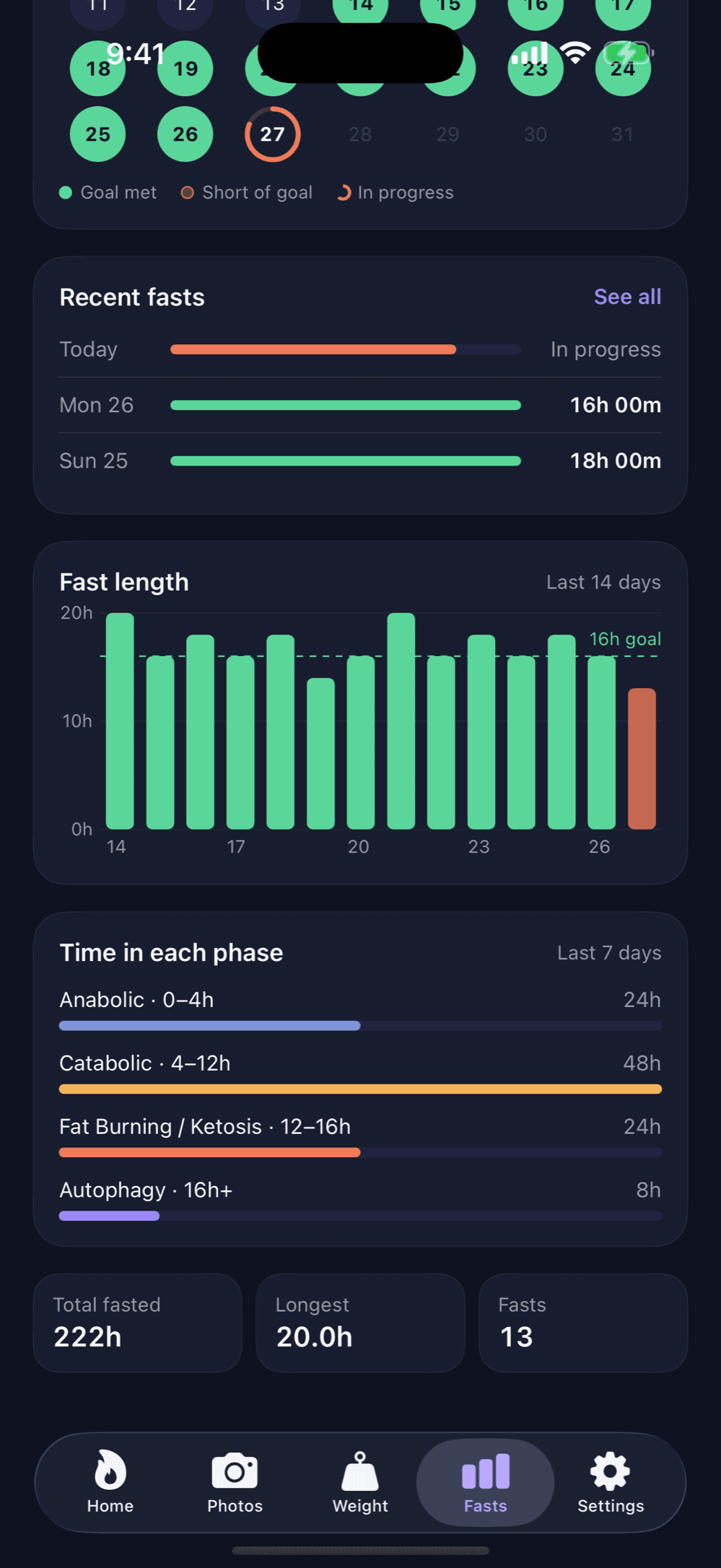
See where the hours go
Charts show how long each recent fast ran against your goal and how much time you spent in each phase.
- Fast length chart for the last 14 days with your goal line
- Time in each phase over the last week
- Lifetime totals: hours fasted, longest fast, total fasts
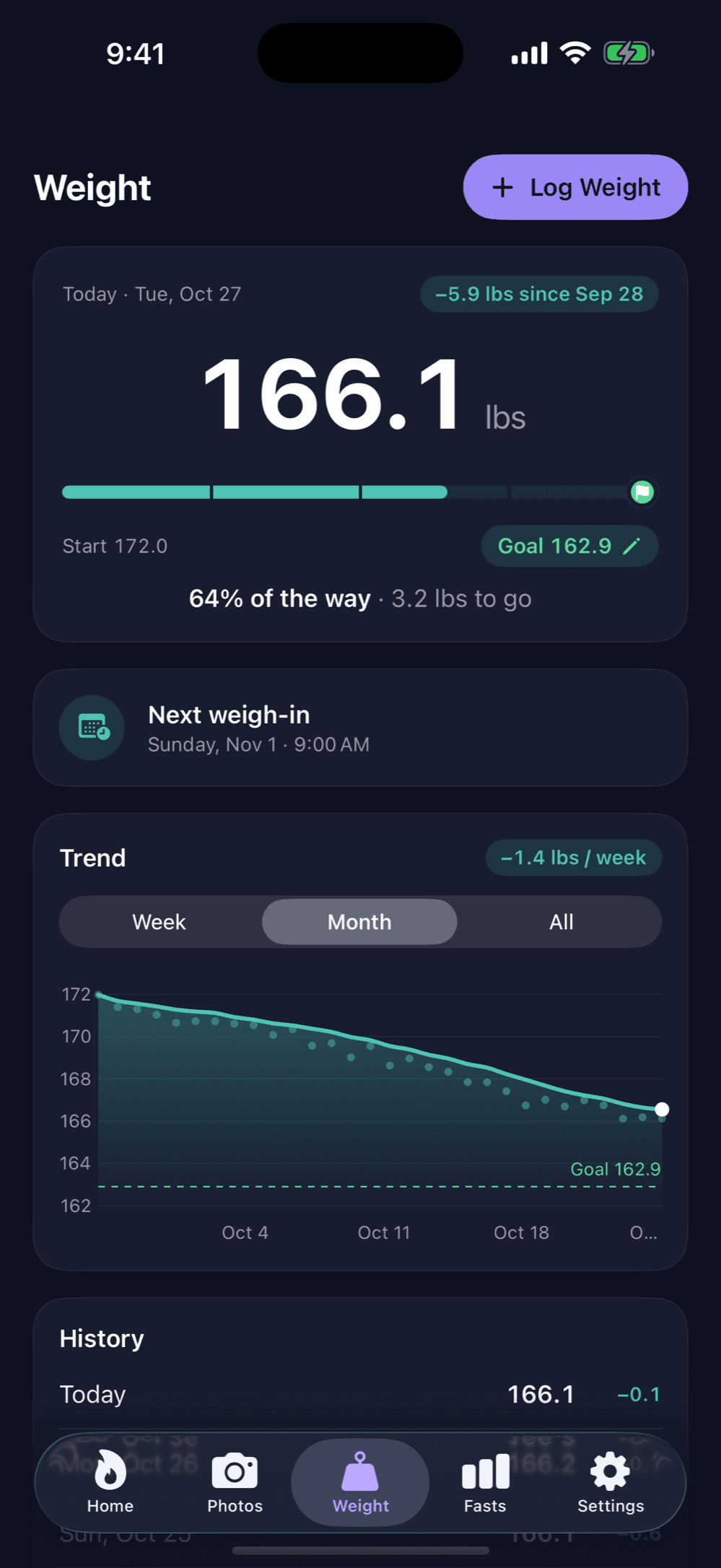
A trend line you can trust
Log your weight in lbs or kg. Meridian smooths out the daily ups and downs so you see the real direction you're heading.
- Set a goal and watch the progress bar fill up
- Weekly rate of change, by week, month, or all time
- A weekly weigh-in reminder so it becomes a routine
Watch yourself change
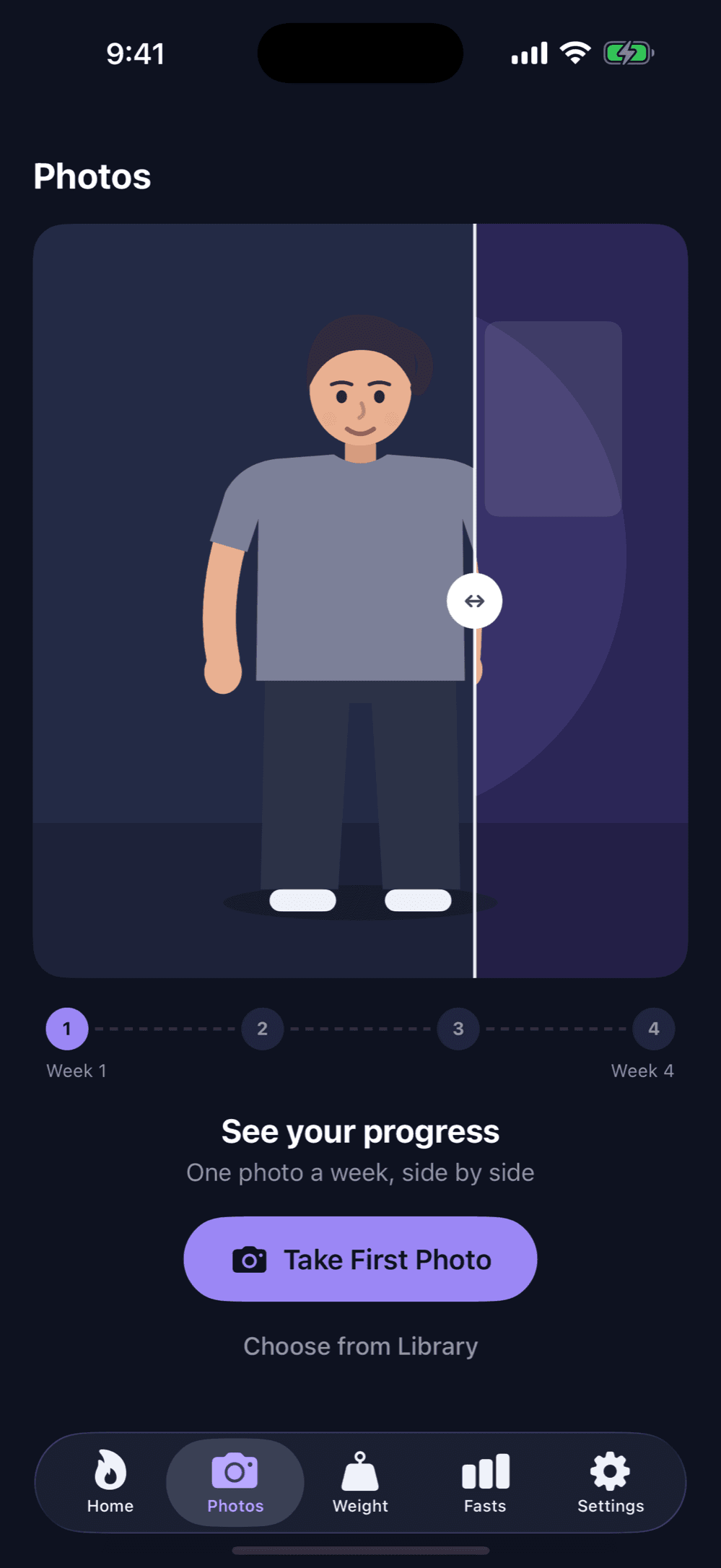
Take one photo a week and compare any two side by side with a slider. Sometimes the mirror shows progress before the scale does.
- Weekly photo reminder, with the camera or your library
- Before and after comparison slider
- Photos stay on your iPhone and are never uploaded
And everything around it
Reminders that help
A daily nudge to start your fast, a ping as you reach each phase, and a heads-up when your streak is at risk or you set a new record. You can turn each one on or off.
Synced and offline-ready
Sign in with Apple or Google and your fasts and weigh-ins sync across devices. Anything you log offline uploads when you're back online.
Private by design
Progress photos never leave your phone. There are no ads, and you can delete your account and its data at any time from Settings.
Light and Midnight
A calm, native SwiftUI app with a light theme and a deep navy Midnight dark mode. It follows your system setting, or you can pick one.
How it works
Pick your schedule
Choose 16:8, 18:6, OMAD, or anything in between. You can change it any time.
Start your fast
One tap starts the timer. Meridian follows you through each phase, even with the app closed.
Build the streak
Finish fasts, log weigh-ins, snap weekly photos, and watch the habit add up.
Meridian is launching soon.
We're in TestFlight now and putting the finishing touches on the App Store release.